
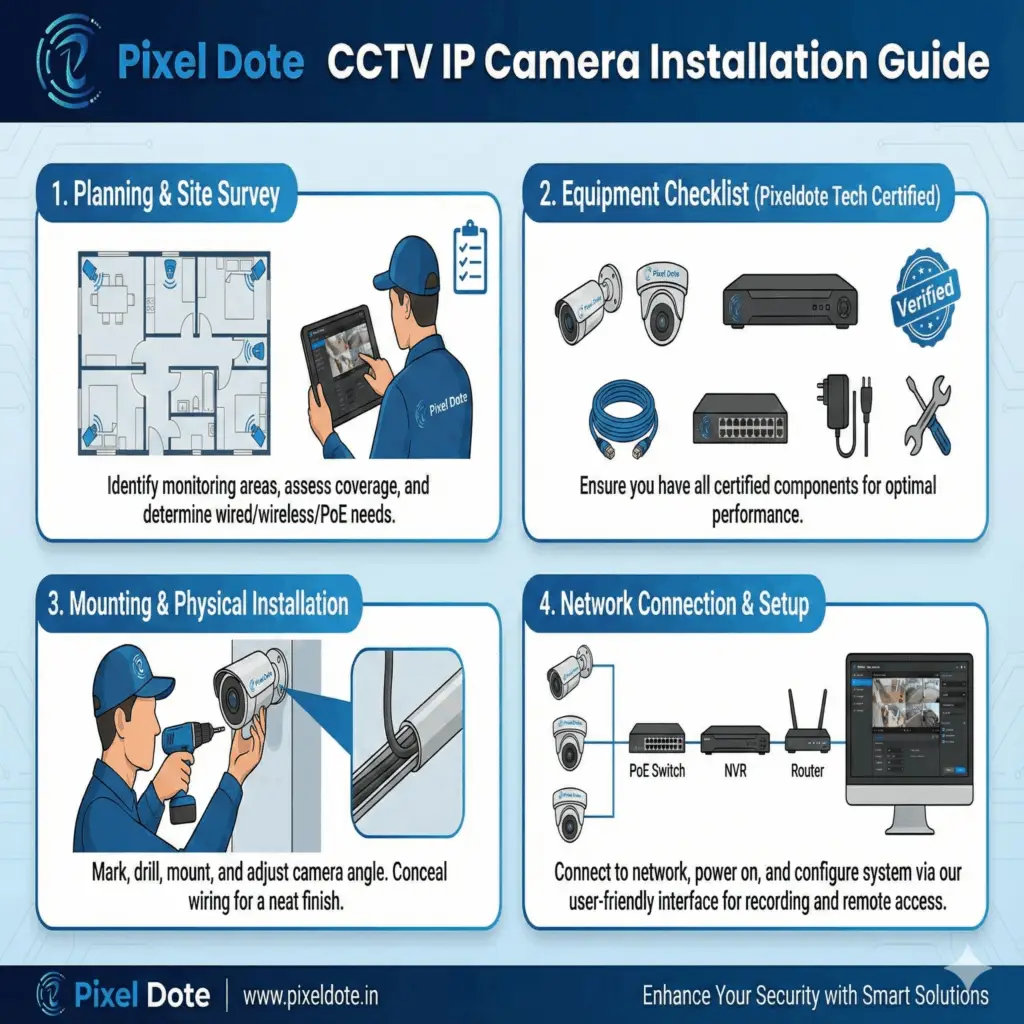
Keeping your home, office, or business secure is no longer just a choice—it’s a necessity. With modern CCTV IP camera systems, you can enjoy high-quality video surveillance, remote monitoring, cloud backup, and intelligent alerts. If you are planning to install a CCTV system yourself, this detailed guide from Pixeldote Tech – Patna’s trusted CCTV installation experts will walk you through every step.
Why Choose CCTV IP Cameras?
Unlike traditional analog cameras, IP cameras offer:
HD or 4K video quality
Remote viewing via mobile or laptop
Better data encryption and security
Easy PoE (Power over Ethernet) setup
Smart features like motion detection and alerts
Whether you’re securing a home, shop, school, office, or warehouse, an IP CCTV system ensures stronger and more reliable protection.
1. Planning and Site Survey
Before starting installation, a proper survey is essential. This helps you understand:
✔ Areas that require monitoring
Examples:
Main gate
Parking area
Hallways
Cash counters
Store rooms
Entry/exit points
✔ Coverage planning
Determine:
Recommended angle of coverage
Height of installation (usually 9–12 feet outdoors)
Blind spots to avoid
✔ Network requirements
Decide:
Whether the system will be wired or wireless
Whether PoE (Power over Ethernet) is available
Whether additional routers or switches are needed
A good site survey saves time and ensures maximum security coverage.
2. Equipment Checklist
Before installation, make sure you have the following items ready:
IP CCTV Cameras – Dome, Bullet, PTZ, etc.
NVR (Network Video Recorder) or a computer for recording
Ethernet cables (Cat5e/Cat6)
PoE switch or PoE injectors (if your cameras are PoE-enabled)
Power adapters (if not using PoE)
Mounting screws and wall anchors
Tools – Drill, screwdriver, cable clips, wire stripper, etc.
Optional accessories may include:
Waterproof junction boxes
Cable connectors
Hard disk for NVR
At Pixeldote Tech, we provide premium CCTV installation kits and accessories to ensure a professional, long-lasting setup.
3. Mounting and Physical Installation
Once planning and materials are ready, it’s time to mount the cameras.
✔ Steps:
Mark drilling points according to camera brackets
Drill pilot holes and insert anchors if required
Fix the camera mounting base securely
Position the camera and adjust its direction
Route the Ethernet cable neatly to the DVR/NVR location
Tips for best positioning:
Outdoor cameras are best mounted 9–12 feet high
Avoid directly facing sunlight
Tilt slightly downward for better frame coverage
Use weatherproof casing for protection
Neat cable management improves both appearance and system reliability.
4. Network Connection and Configuration
Now it’s time to connect and configure your camera system.
✔ Setup steps:
Connect each camera’s Ethernet cable to a PoE switch or NVR
Connect PoE switch or NVR to your main router
Power on your cameras and NVR
Open the NVR interface on a laptop or browser
Add cameras to your system
Configure:
Recording schedule
Motion alerts
Time settings
Remote viewing
Remote viewing on mobile
Most systems support apps for:
Android
iOS
Windows
Just scan the QR code from the NVR interface and you can watch live CCTV feeds from anywhere in the world.
Why Choose Pixeldote Tech for CCTV Installation in Patna?
Pixeldote Tech offers:
Professional installation
High-quality IP cameras & accessories
Neat wiring and finishing
Remote monitoring setup
Affordable AMC and after-sales support
Prompt service across Patna and nearby areas
Installing a CCTV IP camera system improves the security of your property and gives you peace of mind. By following the steps above—or by hiring a professional installer like Pixeldote Tech, you can ensure a high-performance surveillance system that works flawlessly 24×7.
📞 Contact Pixeldote Tech today
Phone: +91-9576022221 / 9006653313
Website: www.pixeldote.in
Services: CCTV Installation, PoE Setup, Corporate Security Solutions, LAN Networking, Access Control, and more.
Secure your home and business with experts you can trust!